
Free CompTIA Cloud+ (CV0-004) Roadmap
Vendor-neutral cloud operations — deployment, security, maintenance and troubleshooting across providers rather than one. The labs run on Azure and AWS; DevOps is taught on its own step.
5 steps · 6 free videos · 4 free reads
Create your free account to open all 2,396 free items
The 10 free items on this page — and every other free lesson, video and guide — open once you have a free StationX account. No card, no trial.
5 steps, in order
The 🔒 rows show what the full roadmap adds at each step. StationX Membership opens every course and its labs: $299 / year ($24.92/mo billed annually). Infrastructure Labs labs are a separate add-on.
Start here →
Step 1 — Learn cloud operations
Architecture, deployment, operations, security and troubleshooting.
🔒 The full roadmap adds here: 1 full course (Membership)
- Course · Total: CompTIA Cloud+ v4 (CV0-004) · 🔒 Membership
Step 2 — Build in a real cloud
Do it on live infrastructure.
🔒 The full roadmap adds here: hands-on labs 1–39 of 92 (Infrastructure Labs)
- Lab 1 of 92 · Manage Azure Resource Deployment by Using an Azure Resource Manager Template [Guided] · 🔒 Infrastructure Labs
- Lab 2 of 92 · Manage Azure Resource Groups [Guided] · 🔒 Infrastructure Labs
- Lab 3 of 92 · Run Commands by Using Azure Cloud Shell [Guided] · 🔒 Infrastructure Labs
- Lab 4 of 92 · Create an Azure Function App [Guided] · 🔒 Infrastructure Labs
- Lab 5 of 92 · Create an Azure Logic App [Guided] · 🔒 Infrastructure Labs
- Lab 6 of 92 · Configure an Azure Distributed Denial of Service Protection Plan [Guided] · 🔒 Infrastructure Labs
- Lab 7 of 92 · Manage Encryption by Using an Azure Key Vault [Guided] · 🔒 Infrastructure Labs
- Lab 8 of 92 · Configure Azure Role-Based Access Control [Guided] · 🔒 Infrastructure Labs
- Lab 9 of 92 · Configure an Azure Lock [Guided] · 🔒 Infrastructure Labs
- Lab 10 of 92 · Configure Monitoring by Using Azure Monitor [Guided] · 🔒 Infrastructure Labs
- Lab 11 of 92 · Deploy an Azure Virtual Machine [Guided] · 🔒 Infrastructure Labs
- Lab 12 of 92 · View Azure Service Health Options [Guided] · 🔒 Infrastructure Labs
- Lab 13 of 92 · Manage Microsoft Entra Users and Groups [Guided] · 🔒 Infrastructure Labs
- Lab 14 of 92 · Implement a Network Security Group [Guided] · 🔒 Infrastructure Labs
- Lab 15 of 92 · Azure Cost Management [Guided] · 🔒 Infrastructure Labs
- Lab 16 of 92 · Deploy an Azure Web App by Using Deployment Slots [Guided] · 🔒 Infrastructure Labs
- Lab 17 of 92 · Configure Web App Load Balancing [Guided] · 🔒 Infrastructure Labs
- Lab 18 of 92 · Can You Deploy an Azure Web App That Uses an Azure SQL Database? [Advanced] · 🔒 Infrastructure Labs
- Lab 19 of 92 · Provision an Azure Virtual Machine That Hosts SQL Server [Guided] · 🔒 Infrastructure Labs
- Lab 20 of 92 · Enable High Availability by Using Availability Sets [Guided] · 🔒 Infrastructure Labs
- Lab 21 of 92 · Configure Virtual Networks [Guided] · 🔒 Infrastructure Labs
- Lab 22 of 92 · Can You Deploy Azure Virtual Machines for Multi-Tier Apps? [Advanced] · 🔒 Infrastructure Labs
- Lab 23 of 92 · Deploy Resources by Using an Azure Resource Manager Template [Guided] · 🔒 Infrastructure Labs
- Lab 24 of 92 · Enable Azure Virtual Machine Scale Sets for High Availability and Scalability [Guided] · 🔒 Infrastructure Labs
- Lab 25 of 92 · Can You Deploy a Scalable Azure Solution by Using ARM Templates? [Advanced] · 🔒 Infrastructure Labs
- Lab 26 of 92 · Can You Deploy a Web App with Database Authentication by Using Microsoft Entra ID? [Expert] · 🔒 Infrastructure Labs
- Lab 27 of 92 · Getting Started with AWS Tech Essentials [Getting Started] · 🔒 Infrastructure Labs
- Lab 28 of 92 · Build a Network by Using the VPC Wizard [Guided] · 🔒 Infrastructure Labs
- Lab 29 of 92 · Build VPC Resources Manually [Guided] · 🔒 Infrastructure Labs
- Lab 30 of 92 · Can You Build a Network Foundation in AWS? [Advanced] · 🔒 Infrastructure Labs
- Lab 31 of 92 · Configure an S3 Bucket and Website [Guided] · 🔒 Infrastructure Labs
- Lab 32 of 92 · Configure Data Transfer and Storage Options for an S3 Bucket [Guided] · 🔒 Infrastructure Labs
- Lab 33 of 92 · Can You Build a Website by Using an Amazon S3 Bucket? [Advanced] · 🔒 Infrastructure Labs
- Lab 34 of 92 · Connect to an EC2 Instance by Using RDP [Guided] · 🔒 Infrastructure Labs
- Lab 35 of 92 · Configure Storage by Using EBS [Guided] · 🔒 Infrastructure Labs
- Lab 36 of 92 · Create a Custom AMI by Using an Existing EC2 Instance [Guided] · 🔒 Infrastructure Labs
- Lab 37 of 92 · Create a Launch Template [Guided] · 🔒 Infrastructure Labs
- Lab 38 of 92 · Can You Implement a Repeatable Compute Layer by Using EC2? [Advanced] · 🔒 Infrastructure Labs
- Lab 39 of 92 · Can You Deploy an End-to-End Solution in AWS? [Expert] · 🔒 Infrastructure Labs
Step 3 — Secure the cloud
Lock down identities, networks and data: IAM policies, network security groups, encryption at rest.
Hands-on step: the labs for it are on the full roadmap.
🔒 The full roadmap adds here: hands-on labs 40–54 of 92 (Infrastructure Labs)
- Lab 40 of 92 · Configure a Network Security Group in a Virtual Network [Guided] · 🔒 Infrastructure Labs
- Lab 41 of 92 · Configure Route Tables in a Virtual Network [Guided] · 🔒 Infrastructure Labs
- Lab 42 of 92 · Configure Global Virtual Network Peering [Guided] · 🔒 Infrastructure Labs
- Lab 43 of 92 · Can You Implement a Secure Azure Virtual Machine Network? [Advanced] · 🔒 Infrastructure Labs
- Lab 44 of 92 · Configure a Virtual Network Service Endpoint [Guided] · 🔒 Infrastructure Labs
- Lab 45 of 92 · Implement Security for an Azure Web App [Guided] · 🔒 Infrastructure Labs
- Lab 46 of 92 · Can You Implement Security for an Azure Web App? [Advanced] · 🔒 Infrastructure Labs
- Lab 47 of 92 · Can You Create a Secure Web App? [Expert] · 🔒 Infrastructure Labs
- Lab 48 of 92 · Log Virtual Machine Network Traffic by Using Network Watcher [Guided] · 🔒 Infrastructure Labs
- Lab 49 of 92 · Monitor Communication Between Virtual Machines by Using Network Watcher [Guided] · 🔒 Infrastructure Labs
- Lab 50 of 92 · Configure Security for an IAM User [Guided] · 🔒 Infrastructure Labs
- Lab 51 of 92 · Implement an IAM Policy [Guided] · 🔒 Infrastructure Labs
- Lab 52 of 92 · Implement a Security Monitoring Process [Guided] · 🔒 Infrastructure Labs
- Lab 53 of 92 · Implement Encryption at Rest [Guided] · 🔒 Infrastructure Labs
- Lab 54 of 92 · Implement Protection for Data and Infrastructure [Guided] · 🔒 Infrastructure Labs
Try a free cloud security lab: Left open (~4 min) → A scripted simulation in your browser. No account needed.
Step 4 — DevOps fundamentals
Version control, pipelines, infrastructure as code with Terraform, and containers on Kubernetes.
🔒 The full roadmap adds here: 1 full course · hands-on labs 55–80 of 92 (course in Membership · 26 labs in Infrastructure Labs)
- Course · The DevOps Essentials - The Handbook · 🔒 Membership
- Lab 55 of 92 · Install and Configure Azure DevOps Services (ADOS) Prerequisite Technologies [Prerequisite Lab] · 🔒 Infrastructure Labs
- Lab 56 of 92 · Create and Use Repositories in Azure DevOps Services (ADOS) [Guided] · 🔒 Infrastructure Labs
- Lab 57 of 92 · Integrate Azure Boards with Git Repositories [Guided] · 🔒 Infrastructure Labs
- Lab 58 of 92 · Manage Branches and Use a Feature Branch Branching Strategy in Azure DevOps Services [Guided] · 🔒 Infrastructure Labs
- Lab 59 of 92 · Can You Configure a Trunk-Based Branching Strategy in Azure DevOps Services? [Advanced] · 🔒 Infrastructure Labs
- Lab 60 of 92 · Manage Pull Requests and Perform Reversions in Azure DevOps Services [Guided] · 🔒 Infrastructure Labs
- Lab 61 of 92 · Set Branching Policies and Restrictions in Azure DevOps Services [Guided] · 🔒 Infrastructure Labs
- Lab 62 of 92 · Add an Azure DevOps Webhook by Using Azure Automation [Guided] · 🔒 Infrastructure Labs
- Lab 63 of 92 · Can You Manage Merge Conflicts in Azure DevOps Services? [Advanced] · 🔒 Infrastructure Labs
- Lab 64 of 92 · Create a Pipeline in Azure DevOps [Guided] · 🔒 Infrastructure Labs
- Lab 65 of 92 · Use Terraform with AWS CloudShell to Deploy Resources [Guided] · 🔒 Infrastructure Labs
- Lab 66 of 92 · Use Terraform with AWS Cloud9 to Deploy Resources [Guided] · 🔒 Infrastructure Labs
- Lab 67 of 92 · Use Terraform with the Azure Shell to Deploy Resources [Guided] · 🔒 Infrastructure Labs
- Lab 68 of 92 · Getting Started with Kubernetes Cluster Administration [Getting Started] · 🔒 Infrastructure Labs
- Lab 69 of 92 · Install Kubernetes Cluster Components [Guided] · 🔒 Infrastructure Labs
- Lab 70 of 92 · Initialize a Kubernetes Cluster [Guided] · 🔒 Infrastructure Labs
- Lab 71 of 92 · Retrieve Kubernetes Core Component Information by Using kubectl [Guided] · 🔒 Infrastructure Labs
- Lab 72 of 92 · Can You Install and Configure a Kubernetes Cluster? [Advanced] · 🔒 Infrastructure Labs
- Lab 73 of 92 · Create Cluster Objects by Using Imperative Commands [Guided] · 🔒 Infrastructure Labs
- Lab 74 of 92 · Create Cluster Objects by Using Declarative Commands [Guided] · 🔒 Infrastructure Labs
- Lab 75 of 92 · Can You Create Objects in a Kubernetes Cluster? [Advanced] · 🔒 Infrastructure Labs
- Lab 76 of 92 · Create a Kubernetes Cluster Deployment [Guided] · 🔒 Infrastructure Labs
- Lab 77 of 92 · Organize Kubernetes Cluster Resources by Using Namespaces [Guided] · 🔒 Infrastructure Labs
- Lab 78 of 92 · Can You Manage Resources in a Kubernetes Cluster? [Advanced] · 🔒 Infrastructure Labs
- Lab 79 of 92 · Can You Deploy a Kubernetes Cluster? [Expert] · 🔒 Infrastructure Labs
- Lab 80 of 92 · Can You Manage Pod Scheduling in a Kubernetes Cluster? [Advanced] · 🔒 Infrastructure Labs
Step 5 — Troubleshoot cloud deployments
Find faults from metrics, logs and alarms, then remediate them.
Hands-on step: the labs for it are on the full roadmap.
🔒 The full roadmap adds here: hands-on labs 81–92 of 92 (Infrastructure Labs)
- Lab 81 of 92 · Manage AWS Logs by Using CloudTrail [Guided] · 🔒 Infrastructure Labs
- Lab 82 of 92 · Collect Metrics and Logs by Using the CloudWatch Agent [Guided] · 🔒 Infrastructure Labs
- Lab 83 of 92 · Create a CloudWatch Alarm [Guided] · 🔒 Infrastructure Labs
- Lab 84 of 92 · Create Metric Filters [Guided] · 🔒 Infrastructure Labs
- Lab 85 of 92 · Create a CloudWatch Dashboard [Guided] · 🔒 Infrastructure Labs
- Lab 86 of 92 · Configure an SNS Notification for a CloudWatch Alarm [Guided] · 🔒 Infrastructure Labs
- Lab 87 of 92 · Can You Implement Metrics, Alarms, and Filters? [Advanced] · 🔒 Infrastructure Labs
- Lab 88 of 92 · Troubleshoot an EC2 Instance by Using a CloudWatch Alarm [Guided] · 🔒 Infrastructure Labs
- Lab 89 of 92 · Configure an Amazon EventBridge Rule That Triggers an Action [Guided] · 🔒 Infrastructure Labs
- Lab 90 of 92 · Perform Automatic Remediation by Using an AWS Config Rule [Guided] · 🔒 Infrastructure Labs
- Lab 91 of 92 · Can You Remediate Issues by Using Monitoring and Availability Metrics? [Advanced] · 🔒 Infrastructure Labs
- Lab 92 of 92 · Can You Configure a Resilient Website That Uses Monitoring and Automatic Remediation? [Expert] · 🔒 Infrastructure Labs


Before the exam

The full CompTIA Cloud+ (CV0-004) roadmap
The same steps with every course and the hands-on labs, and your progress tracked.
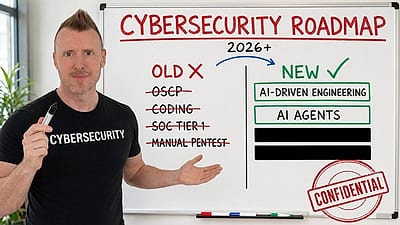
The full roadmap with labs →What Membership includes · Full refund within 30 days if you haven't started a lab · cancel anytimeAI-Driven Security Engineering
StationX’s AI Master’s teaches you to create and deploy security solutions by directing AI. “No coding background required. You direct the AI; the AI does the building.”
Explore the AI Master’s →Create your free account to open all 2,396 free items






The 10 free items on this page — and every other free lesson, video and guide — open once you have a free StationX account. No card, no trial.