
Free CISSP — Certified Information Systems Security Professional Roadmap
The senior security certification, spanning eight domains. Requires five years of experience to certify fully. This is the management and architecture track, not a hands-on one. ISC2's new CISSP exam outline applies from 15 April 2027. This roadmap teaches the April 2024 outline, which applies before then. Check which one you will sit.
5 steps · 67 free videos · 18 free reads
Create your free account to open all 2,396 free items
The 85 free items on this page — and every other free lesson, video and guide — open once you have a free StationX account. No card, no trial.
Read these first

5 steps, in order
The 🔒 rows show what the full roadmap adds at each step. StationX Membership opens every course and its labs: $299 / year ($24.92/mo billed annually). Infrastructure Labs labs are a separate add-on.
Start here →
Step 1 — Start here
Understand the exam, the CAT format and how to study for it. Prefer one course for all eight domains? The full CISSP course covers them end to end; the boot camps below go domain by domain.
🔒 The full roadmap adds here: 2 full courses (Membership)
- Course · CISSP Certification Introduction. Prepare for the exam right · 🔒 Membership
- Course · Certified Information Systems Security Professional - CISSP · 🔒 Membership
Try a free hacking lab: Recon to shell (~5 min) → A scripted simulation in your browser. No account needed.
Step 2 — Domains 1 & 2 — risk and asset security
Governance, risk, compliance and data protection.
🔒 The full roadmap adds here: 1 full course (Membership)
- Course · CISSP Certification: CISSP Domain 1 & 2 Video Boot Camp · 🔒 Membership
Step 3 — Domains 3 & 4 — architecture and network security
Secure design principles, cryptography and PKI, and network defence.
🔒 The full roadmap adds here: 1 full course · hands-on labs 1–23 of 71 (course in Membership · 12 labs in Membership · 11 labs in Infrastructure Labs)
- Course · CISSP Certification: CISSP Domain 3 & 4 Video Boot Camp · 🔒 Membership
- Lab 1 of 71 · Deploy a Private Certificate Authority [Guided] · 🔒 Infrastructure Labs
- Lab 2 of 71 · Configure Custom Certificate Templates and Deployment Options [Guided] · 🔒 Infrastructure Labs
- Lab 3 of 71 · Manually Request a PKI Certificate [Guided] · 🔒 Infrastructure Labs
- Lab 4 of 71 · Can You Deploy a Certificate Authority and Issue Certificates? [Advanced] · 🔒 Infrastructure Labs
- Lab 5 of 71 · Enable DNSSEC [Guided] · 🔒 Infrastructure Labs
- Lab 6 of 71 · Use EFS To Encrypt Files on NTFS Volumes [Guided] · 🔒 Infrastructure Labs
- Lab 7 of 71 · Can You Secure DNS Resource Records and Windows NTFS Volume File Objects? [Advanced] · 🔒 Infrastructure Labs
- Lab 8 of 71 · Enable SSL/TLS on a Website [Guided] · 🔒 Infrastructure Labs
- Lab 9 of 71 · Enable Client SSL/TLS [Guided] · 🔒 Infrastructure Labs
- Lab 10 of 71 · Can You Secure a Website with an SSL/TLS Certificate? [Advanced] · 🔒 Infrastructure Labs
- Lab 11 of 71 · Can You Use PKI to Secure a Network Environment? [Expert] · 🔒 Infrastructure Labs
- Lab 12 of 71 · Applying Filters to TCPDump and Wireshark · 🔒 Membership
- Lab 13 of 71 · DNS as a Remote Shell · 🔒 Membership
- Lab 14 of 71 · Firewall Setup and Configuration · 🔒 Membership
- Lab 15 of 71 · Gap Analysis of Firewall Rules · 🔒 Membership
- Lab 16 of 71 · Implementing Least-Privilege on Windows · 🔒 Membership
- Lab 17 of 71 · Network Segmentation (FW/DMZ/WAN/LAN) · 🔒 Membership
- Lab 18 of 71 · Setting Up Zones in a Firewall · 🔒 Membership
- Lab 19 of 71 · Snorby Setup and Operation · 🔒 Membership
- Lab 20 of 71 · TCPDump · 🔒 Membership
- Lab 21 of 71 · Tweaking Firewall Rules for Detection · 🔒 Membership
- Lab 22 of 71 · Using Snort and Wireshark to Analyze Traffic · 🔒 Membership
- Lab 23 of 71 · Wireshark · 🔒 Membership
Step 4 — Domains 5 & 6 — identity and assessment
Access control models, and security assessment and testing: vulnerability scanning and assessment tools.
🔒 The full roadmap adds here: 1 full course · hands-on labs 24–42 of 71 (course in Membership · 19 labs in Infrastructure Labs)
- Course · CISSP Certification: CISSP Domain 5 & 6 Video Boot Camp · 🔒 Membership
- Lab 24 of 71 · Manage Users and Groups in Linux [Guided] · 🔒 Infrastructure Labs
- Lab 25 of 71 · Manage Users and Groups in Windows [Guided] · 🔒 Infrastructure Labs
- Lab 26 of 71 · Can You Manage Users and Groups in Windows and Linux? [Advanced] · 🔒 Infrastructure Labs
- Lab 27 of 71 · Configure Password Management in Windows [Guided] · 🔒 Infrastructure Labs
- Lab 28 of 71 · Configure Password Management in Linux [Guided] · 🔒 Infrastructure Labs
- Lab 29 of 71 · Can You Manage Password Requirements in Windows and Linux? [Advanced] · 🔒 Infrastructure Labs
- Lab 30 of 71 · Configure Standard Linux Permissions [Guided] · 🔒 Infrastructure Labs
- Lab 31 of 71 · Configure Standard Windows Permissions [Guided] · 🔒 Infrastructure Labs
- Lab 32 of 71 · Can You Configure Standard Linux and Windows Permissions? [Advanced] · 🔒 Infrastructure Labs
- Lab 33 of 71 · Can You Manage Access in Linux and Windows? [Expert] · 🔒 Infrastructure Labs
- Lab 34 of 71 · Using the OWASP Zed Attack Proxy Web Application Scanner [Guided] · 🔒 Infrastructure Labs
- Lab 35 of 71 · Using the Burp Suite Web Application Scanner [Guided] · 🔒 Infrastructure Labs
- Lab 36 of 71 · Use the Nikto Web Application Scanner [Guided] · 🔒 Infrastructure Labs
- Lab 37 of 71 · Use the Arachni Web Application Scanner [Guided] · 🔒 Infrastructure Labs
- Lab 38 of 71 · Use Web Application Scanners [Advanced] · 🔒 Infrastructure Labs
- Lab 39 of 71 · Use Greenbone Security Manager to Identify Vulnerabilities [Guided] · 🔒 Infrastructure Labs
- Lab 40 of 71 · Use Nmap for Enumeration [Guided] · 🔒 Infrastructure Labs
- Lab 41 of 71 · Use hping for Enumeration [Guided] · 🔒 Infrastructure Labs
- Lab 42 of 71 · Use Responder for Enumeration [Guided] · 🔒 Infrastructure Labs
Step 5 — Domains 7 & 8 — operations and software security
Run security day to day, plan business continuity and disaster recovery, and build software safely.
🔒 The full roadmap adds here: 2 full courses · hands-on labs 43–71 of 71 (Membership)
- Course · CISSP Certification: CISSP Domain 7 & 8 Video Boot Camp · 🔒 Membership
- Course · Business Continuity and Disaster Recovery Planning · 🔒 Membership
- Lab 43 of 71 · Auditing Service Accounts and Setting Up Automated Log Collection · 🔒 Membership
- Lab 44 of 71 · BitLocker Setup · 🔒 Membership
- Lab 45 of 71 · Centralized Monitoring · 🔒 Membership
- Lab 46 of 71 · CIRP Creation and Disaster · 🔒 Membership
- Lab 47 of 71 · Comparing Controls · 🔒 Membership
- Lab 48 of 71 · Creation of Standard Operating Procedures for Recovery · 🔒 Membership
- Lab 49 of 71 · Data Backup to Prep for Recovery · 🔒 Membership
- Lab 50 of 71 · Data Downloads and Validation · 🔒 Membership
- Lab 51 of 71 · Force Point: DLP Email Overview · 🔒 Membership
- Lab 52 of 71 · Force Point: DLP Network Overview · 🔒 Membership
- Lab 53 of 71 · Identifying Key Assets · 🔒 Membership
- Lab 54 of 71 · Leveraging Internal Intelligence Resources · 🔒 Membership
- Lab 55 of 71 · Log Correlation & Analysis to Identify Potential IOC · 🔒 Membership
- Lab 56 of 71 · Monitoring and Verifying Management Systems · 🔒 Membership
- Lab 57 of 71 · Open and Close Ports on Windows 7 · 🔒 Membership
- Lab 58 of 71 · Phishing · 🔒 Membership
- Lab 59 of 71 · Post Incident Service Restoration · 🔒 Membership
- Lab 60 of 71 · Ransomware · 🔒 Membership
- Lab 61 of 71 · Recover from SQL Injection Attack · 🔒 Membership
- Lab 62 of 71 · Sensitive Information Identification · 🔒 Membership
- Lab 63 of 71 · Vulnerability Identification and Remediation · 🔒 Membership
- Lab 64 of 71 · Secure Coding (Java) - Lab 1: Race Conditions · 🔒 Membership
- Lab 65 of 71 · Secure Coding (Java) - Lab 2: Data Validation · 🔒 Membership
- Lab 66 of 71 · Secure Coding (Java) - Lab 3: Authentication · 🔒 Membership
- Lab 67 of 71 · Secure Coding (Java) - Lab 4: Access Control · 🔒 Membership
- Lab 68 of 71 · Secure Coding (Java) - Lab 5: Cryptography · 🔒 Membership
- Lab 69 of 71 · Secure Coding (Java) - Lab 6: Error Handling · 🔒 Membership
- Lab 70 of 71 · Secure Coding (Java) - Lab 7: Static Analysis · 🔒 Membership
- Lab 71 of 71 · Secure Coding (Java) - Lab 8: Insecure Deserialization · 🔒 Membership


Before the exam


The full CISSP — Certified Information Systems Security Professional roadmap
The same steps with every course and the hands-on labs, and your progress tracked.
The full roadmap with labs →What Membership includes · Full refund within 30 days if you haven't started a lab · cancel anytimeAI-Driven Security Engineering
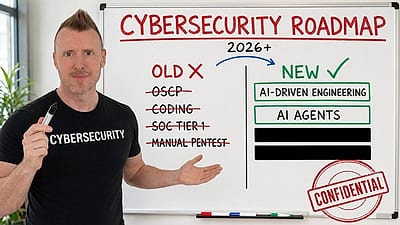
StationX’s AI Master’s teaches you to create and deploy security solutions by directing AI. “No coding background required. You direct the AI; the AI does the building.”
Explore the AI Master’s →Create your free account to open all 2,396 free items





The 85 free items on this page — and every other free lesson, video and guide — open once you have a free StationX account. No card, no trial.