
Free SOC Analyst Roadmap
The practical skills a security operations centre actually hires for, and the incident response that follows an alert. Network+ and Security+ first, then defence, traffic analysis, SIEM and EDR, CySA+ to certify it, then evidence handling, malware analysis and GDPR breach reporting.
9 steps · 59 free videos · 21 free reads
Create your free account to open all 2,396 free items
The 80 free items on this page — and every other free lesson, video and guide — open once you have a free StationX account. No card, no trial.
Read these first


9 steps, in order
The 🔒 rows show what the full roadmap adds at each step. StationX Membership opens every course and its labs: $299 / year ($24.92/mo billed annually). Infrastructure Labs labs are a separate add-on.
Start here →
Step 1 — Networking foundation
Know how a network works before you defend one.
Follow the free CompTIA Network+ (N10-009) roadmap.
🔒 The full roadmap adds here: 4 full courses · hands-on labs 1–56 of 400 (courses in Membership · 12 labs in Membership · 44 labs in Infrastructure Labs)
- Course · CompTIA Network+ Cert. (N10-009): The Total Course · 🔒 Membership
- Course · CompTIA Network+ (N10-009) Crash Course · 🔒 Membership
- Course · CompTIA Network+ Labs · 🔒 Membership
- Course · Master Wireshark 3 in 5 Days · 🔒 Membership
- Lab 1 of 400 · Configure IP Addresses [Guided] · 🔒 Infrastructure Labs
- Lab 2 of 400 · Configure Network Services [Guided] · 🔒 Infrastructure Labs
- Lab 3 of 400 · Use Windows and Linux Network Command-Line Tools [Guided] · 🔒 Infrastructure Labs
- Lab 4 of 400 · Configure Windows Defender Firewall to Support Various Scenarios [Guided] · 🔒 Infrastructure Labs
- Lab 5 of 400 · Troubleshoot Network Issues [Guided] · 🔒 Infrastructure Labs
- Lab 6 of 400 · Examine Network Communications by Using Wireshark [Guided] · 🔒 Infrastructure Labs
- Lab 7 of 400 · Windows Network Command-Line Tools to Configure, Test, and Troubleshoot Network Connectivity [Guided] · 🔒 Infrastructure Labs
- Lab 8 of 400 · Perform Network Analysis [Guided] · 🔒 Infrastructure Labs
- Lab 9 of 400 · Use Wireshark to Perform Network Sniffing [Guided] · 🔒 Infrastructure Labs
- Lab 10 of 400 · Configure Remote Access [Guided] · 🔒 Infrastructure Labs
- Lab 11 of 400 · Perform Network Troubleshooting [Guided] · 🔒 Infrastructure Labs
- Lab 12 of 400 · Use IP Addressing [Guided] · 🔒 Infrastructure Labs
- Lab 13 of 400 · Configure Network Services [Guided] · 🔒 Infrastructure Labs
- Lab 14 of 400 · Use Linux and Windows Network Command-Line Tools [Guided] · 🔒 Infrastructure Labs
- Lab 15 of 400 · Perform Network Analysis [Guided] · 🔒 Infrastructure Labs
- Lab 16 of 400 · Use Wireshark to Examine Network Communications [Guided] · 🔒 Infrastructure Labs
- Lab 17 of 400 · Configure Remote Access [Guided] · 🔒 Infrastructure Labs
- Lab 18 of 400 · Implement Name Resolution [Guided] · 🔒 Infrastructure Labs
- Lab 19 of 400 · Implement DHCP [Guided] · 🔒 Infrastructure Labs
- Lab 20 of 400 · Analyze Network Communications [Guided] · 🔒 Infrastructure Labs
- Lab 21 of 400 · Configure an FTP Server with Linux [Guided] · 🔒 Infrastructure Labs
- Lab 22 of 400 · Configure Rsync and Scp File Management in Linux [Guided] · 🔒 Infrastructure Labs
- Lab 23 of 400 · Can You Document the Server in Linux? [Advanced] · 🔒 Infrastructure Labs
- Lab 24 of 400 · Can You Configure Security for SSH in Linux? [Expert] · 🔒 Infrastructure Labs
- Lab 25 of 400 · Manage Server Startup Options in Linux [Guided] · 🔒 Infrastructure Labs
- Lab 26 of 400 · Can You Deploy an Apache Web Server in Linux? [Expert] · 🔒 Infrastructure Labs
- Lab 27 of 400 · Can You Configure ACL Permissions in Linux? [Advanced] · 🔒 Infrastructure Labs
- Lab 28 of 400 · Can You Perform a Network Vulnerability Assessment by Using Nmap? [Advanced] · 🔒 Infrastructure Labs
- Lab 29 of 400 · Can You Configure Linux Rsyslog Forwarding? [Advanced] · 🔒 Infrastructure Labs
- Lab 30 of 400 · Configure IPv4 and IPv6 Addressing for Linux [Guided] · 🔒 Infrastructure Labs
- Lab 31 of 400 · Can You Configure Linux IPv4 Routing? [Advanced] · 🔒 Infrastructure Labs
- Lab 32 of 400 · Can You Install and Configure a Linux DNS Server [Advanced]? · 🔒 Infrastructure Labs
- Lab 33 of 400 · Can You Troubleshoot Linux Network Issues? [Expert] · 🔒 Infrastructure Labs
- Lab 34 of 400 · Implement Wireshark [Guided] · 🔒 Infrastructure Labs
- Lab 35 of 400 · Perform an Effective Capture [Guided] · 🔒 Infrastructure Labs
- Lab 36 of 400 · Use Display Filters [Guided] · 🔒 Infrastructure Labs
- Lab 37 of 400 · Modify Display Filter Functionality [Guided] · 🔒 Infrastructure Labs
- Lab 38 of 400 · Recreate Data Flows [Guided] · 🔒 Infrastructure Labs
- Lab 39 of 400 · Recreate Data Content [Guided] · 🔒 Infrastructure Labs
- Lab 40 of 400 · Use Wireshark to Discover Evidence of Network Attacks [Guided] · 🔒 Infrastructure Labs
- Lab 41 of 400 · Can You Customize Profiles and Filters in Wireshark? [Advanced] · 🔒 Infrastructure Labs
- Lab 42 of 400 · Can You Display Customizations and Exploration of Captured Traffic by Using Wireshark? [Advanced] · 🔒 Infrastructure Labs
- Lab 43 of 400 · Can You Extract Intercepted Files and Perform Password Attack Discovery? [Advanced] · 🔒 Infrastructure Labs
- Lab 44 of 400 · Can You Explore the Varied Uses of Wireshark? [Expert] · 🔒 Infrastructure Labs
- Lab 45 of 400 · Applying Filters to TCPDump and Wireshark · 🔒 Membership
- Lab 46 of 400 · DNS as a Remote Shell · 🔒 Membership
- Lab 47 of 400 · Firewall Setup and Configuration · 🔒 Membership
- Lab 48 of 400 · Gap Analysis of Firewall Rules · 🔒 Membership
- Lab 49 of 400 · Implementing Least-Privilege on Windows · 🔒 Membership
- Lab 50 of 400 · Network Segmentation (FW/DMZ/WAN/LAN) · 🔒 Membership
- Lab 51 of 400 · Setting Up Zones in a Firewall · 🔒 Membership
- Lab 52 of 400 · Snorby Setup and Operation · 🔒 Membership
- Lab 53 of 400 · TCPDump · 🔒 Membership
- Lab 54 of 400 · Tweaking Firewall Rules for Detection · 🔒 Membership
- Lab 55 of 400 · Using Snort and Wireshark to Analyze Traffic · 🔒 Membership
- Lab 56 of 400 · Wireshark · 🔒 Membership
Try a free SOC lab: Shut the door (~4 min) → A scripted simulation in your browser. No account needed.
Step 2 — Security foundation
The baseline every SOC hires for.
Follow the free CompTIA Security+ (SY0-701) roadmap.
🔒 The full roadmap adds here: 6 full courses · hands-on labs 57–192 of 400 (courses in Membership · 59 labs in Membership · 77 labs in Infrastructure Labs)
- Course · CompTIA Security+ Certification (SY0-701): The Total Course · 🔒 Membership
- Course · Security+ (SY0-701) - Self-paced Course! · 🔒 Membership
- Course · CompTIA Security+ SY0-701: General Security Concepts · 🔒 Membership
- Course · CompTIA Security+: Viruses, Threats and Compromise Indicators · 🔒 Membership
- Course · CompTIA Security+ Labs · 🔒 Membership
- Course · Security+ Just Labs: The Ultimate Hands-On Bootcamp · 🔒 Membership
- Lab 57 of 400 · Additional Scanning Options · 🔒 Membership
- Lab 58 of 400 · Basics of Metasploit · 🔒 Membership
- Lab 59 of 400 · BCP DRP and Test Planning · 🔒 Membership
- Lab 60 of 400 · BitLocker Setup · 🔒 Membership
- Lab 61 of 400 · Block Incoming Traffic on Known Port · 🔒 Membership
- Lab 62 of 400 · Comparing Controls · 🔒 Membership
- Lab 63 of 400 · Creating a List of Installed Programs, Services and User Accounts from a WIN2K12 Server · 🔒 Membership
- Lab 64 of 400 · Creation of BCP and DRP · 🔒 Membership
- Lab 65 of 400 · Data Backup to Prep for Recovery · 🔒 Membership
- Lab 66 of 400 · Event Log · 🔒 Membership
- Lab 67 of 400 · Host Data Integrity Baselining · 🔒 Membership
- Lab 68 of 400 · Installing Patches and Testing Software · 🔒 Membership
- Lab 69 of 400 · MITRE - Attack · 🔒 Membership
- Lab 70 of 400 · MITRE - Defend · 🔒 Membership
- Lab 71 of 400 · Network Discovery · 🔒 Membership
- Lab 72 of 400 · Network Topology Generation · 🔒 Membership
- Lab 73 of 400 · Open Source Collection · 🔒 Membership
- Lab 74 of 400 · Open Source Password Cracking · 🔒 Membership
- Lab 75 of 400 · Scanning From Windows · 🔒 Membership
- Lab 76 of 400 · Windows Event Log Manipulation via Windows Event Viewer · 🔒 Membership
- Lab 77 of 400 · Manage Users and Groups in Linux [Guided] · 🔒 Infrastructure Labs
- Lab 78 of 400 · Manage Users and Groups in Windows [Guided] · 🔒 Infrastructure Labs
- Lab 79 of 400 · Can You Manage Users and Groups in Windows and Linux? [Advanced] · 🔒 Infrastructure Labs
- Lab 80 of 400 · Configure Password Management in Windows [Guided] · 🔒 Infrastructure Labs
- Lab 81 of 400 · Configure Password Management in Linux [Guided] · 🔒 Infrastructure Labs
- Lab 82 of 400 · Can You Manage Password Requirements in Windows and Linux? [Advanced] · 🔒 Infrastructure Labs
- Lab 83 of 400 · Configure Standard Linux Permissions [Guided] · 🔒 Infrastructure Labs
- Lab 84 of 400 · Configure Standard Windows Permissions [Guided] · 🔒 Infrastructure Labs
- Lab 85 of 400 · Can You Configure Standard Linux and Windows Permissions? [Advanced] · 🔒 Infrastructure Labs
- Lab 86 of 400 · Can You Manage Access in Linux and Windows? [Expert] · 🔒 Infrastructure Labs
- Lab 87 of 400 · Can You Harden the SSH Service on a Linux Server? [Advanced} · 🔒 Infrastructure Labs
- Lab 88 of 400 · Force Users to Change Password Upon First Sign In [Guided] · 🔒 Infrastructure Labs
- Lab 89 of 400 · Remove a User Account [Guided] · 🔒 Infrastructure Labs
- Lab 90 of 400 · Can You Add Server Access for a Group? [Advanced] · 🔒 Infrastructure Labs
- Lab 91 of 400 · Examine Log Files to Block Bad Actors [Guided] · 🔒 Infrastructure Labs
- Lab 92 of 400 · Harden a Server by Limiting Access to a Single Subnet [Guided] · 🔒 Infrastructure Labs
- Lab 93 of 400 · Can You Harden a Server by Restricting Access per Protocol? [Advanced] · 🔒 Infrastructure Labs
- Lab 94 of 400 · Can You Harden a Linux Web Server? [Expert] · 🔒 Infrastructure Labs
- Lab 95 of 400 · Deploy a Private Certificate Authority [Guided] · 🔒 Infrastructure Labs
- Lab 96 of 400 · Configure Custom Certificate Templates and Deployment Options [Guided] · 🔒 Infrastructure Labs
- Lab 97 of 400 · Manually Request a PKI Certificate [Guided] · 🔒 Infrastructure Labs
- Lab 98 of 400 · Can You Deploy a Certificate Authority and Issue Certificates? [Advanced] · 🔒 Infrastructure Labs
- Lab 99 of 400 · Enable DNSSEC [Guided] · 🔒 Infrastructure Labs
- Lab 100 of 400 · Use EFS To Encrypt Files on NTFS Volumes [Guided] · 🔒 Infrastructure Labs
- Lab 101 of 400 · Can You Secure DNS Resource Records and Windows NTFS Volume File Objects? [Advanced] · 🔒 Infrastructure Labs
- Lab 102 of 400 · Enable SSL/TLS on a Website [Guided] · 🔒 Infrastructure Labs
- Lab 103 of 400 · Enable Client SSL/TLS [Guided] · 🔒 Infrastructure Labs
- Lab 104 of 400 · Can You Secure a Website with an SSL/TLS Certificate? [Advanced] · 🔒 Infrastructure Labs
- Lab 105 of 400 · Can You Use PKI to Secure a Network Environment? [Expert] · 🔒 Infrastructure Labs
- Lab 106 of 400 · Cryptography: Attacking Classic Ciphers · 🔒 Membership
- Lab 107 of 400 · Cryptography: Breaking Repeated Key XOR Cipher · 🔒 Membership
- Lab 108 of 400 · Cryptography: Breaking Weak RSA Keys · 🔒 Membership
- Lab 109 of 400 · Cryptography: Decrypting Files With a Dictionary Attack · 🔒 Membership
- Lab 110 of 400 · Cryptography: Forging Digital Signatures · 🔒 Membership
- Lab 111 of 400 · Cryptography: Forging MACs With Side Channels · 🔒 Membership
- Lab 112 of 400 · Cryptography: Hidden Veracrypt Containers · 🔒 Membership
- Lab 113 of 400 · Cryptography: Man In the Middle Attack · 🔒 Membership
- Lab 114 of 400 · Cryptography: Password Cracking · 🔒 Membership
- Lab 115 of 400 · Cryptography: Setting Up HTTPS in Windows and Linux · 🔒 Membership
- Lab 116 of 400 · Cryptography: Setting Up Two Factor Authentication · 🔒 Membership
- Lab 117 of 400 · Cryptography: Steganography · 🔒 Membership
- Lab 118 of 400 · Cryptography: Using GPG for Encryption and Key Management · 🔒 Membership
- Lab 119 of 400 · Cryptography: Using the OpenSSL CLI Tool · 🔒 Membership
- Lab 120 of 400 · Getting Started with Security Concepts in Windows and Linux Environments [Getting Started] · 🔒 Infrastructure Labs
- Lab 121 of 400 · Configure Windows Firewall ACL Rules [Guided] · 🔒 Infrastructure Labs
- Lab 122 of 400 · Configure Linux Firewall ACL Rules [Guided] · 🔒 Infrastructure Labs
- Lab 123 of 400 · Configure Security Settings by Using Microsoft Group Policy [Guided] · 🔒 Infrastructure Labs
- Lab 124 of 400 · Identify Non-secure Network Traffic [Guided] · 🔒 Infrastructure Labs
- Lab 125 of 400 · Can You Secure Host Settings Through Firewall Settings and Group Policy? [Advanced] · 🔒 Infrastructure Labs
- Lab 126 of 400 · Configure IPSec [Guided] · 🔒 Infrastructure Labs
- Lab 127 of 400 · Configure a Windows PPTP VPN [Guided] · 🔒 Infrastructure Labs
- Lab 128 of 400 · Can You Secure Network Access? [Advanced] · 🔒 Infrastructure Labs
- Lab 129 of 400 · Can You Harden Windows Hosts? [Expert] · 🔒 Infrastructure Labs
- Lab 130 of 400 · Back Up and Restore Data in Linux [Guided] · 🔒 Infrastructure Labs
- Lab 131 of 400 · Back Up and Restore Data in Windows [Guided] · 🔒 Infrastructure Labs
- Lab 132 of 400 · Can You Back Up and Restore Data in Windows and Linux? [Advanced] · 🔒 Infrastructure Labs
- Lab 133 of 400 · Configure and Test the Firewall in Linux [Guided] · 🔒 Infrastructure Labs
- Lab 134 of 400 · Configure and Test the Firewall in Windows [Guided] · 🔒 Infrastructure Labs
- Lab 135 of 400 · Can You Configure the Firewall in Linux and Windows? [Advanced] · 🔒 Infrastructure Labs
- Lab 136 of 400 · Configure Patch Management in Linux [Guided] · 🔒 Infrastructure Labs
- Lab 137 of 400 · Configure Update Management in Windows [Guided] · 🔒 Infrastructure Labs
- Lab 138 of 400 · Can You Configure Update Management in Linux and Windows? [Advanced] · 🔒 Infrastructure Labs
- Lab 139 of 400 · Can You Manage Windows and Linux Systems? [Expert] · 🔒 Infrastructure Labs
- Lab 140 of 400 · Getting Started with Cybersecurity Defensive Tools [Getting Started] · 🔒 Infrastructure Labs
- Lab 141 of 400 · Managing Log Files on a Windows Server [Guided] · 🔒 Infrastructure Labs
- Lab 142 of 400 · Configure Windows Defender on a Windows System [Guided] · 🔒 Infrastructure Labs
- Lab 143 of 400 · Configure a Local Security Policy on Server 2016 [Guided] · 🔒 Infrastructure Labs
- Lab 144 of 400 · Can You Use the Sysinternals Suite to Review Permissions on a Windows System? [Advanced] · 🔒 Infrastructure Labs
- Lab 145 of 400 · Using Encryption to Secure Information [Guided] · 🔒 Infrastructure Labs
- Lab 146 of 400 · Can You Configure Drive Encryption by Using LUKS and BitLocker? [Advanced] · 🔒 Infrastructure Labs
- Lab 147 of 400 · Can You Configure Remote Administration by Using PuTTY and SSH? [Expert] · 🔒 Infrastructure Labs
- Lab 148 of 400 · Use a Password Cracking Utility in Linux [Guided] · 🔒 Infrastructure Labs
- Lab 149 of 400 · Can You Use PowerShell to Gather Computer Information in Windows? [Advanced] · 🔒 Infrastructure Labs
- Lab 150 of 400 · Escalate Privileges in Linux [Guided] · 🔒 Infrastructure Labs
- Lab 151 of 400 · Can You Enumerate Network Services by Using Port Scanning in Linux? [Advanced] · 🔒 Infrastructure Labs
- Lab 152 of 400 · Auditing Service Accounts and Setting Up Automated Log Collection · 🔒 Membership
- Lab 153 of 400 · Centralized Monitoring · 🔒 Membership
- Lab 154 of 400 · CIRP Creation and Disaster · 🔒 Membership
- Lab 155 of 400 · Creation of Standard Operating Procedures for Recovery · 🔒 Membership
- Lab 156 of 400 · Data Downloads and Validation · 🔒 Membership
- Lab 157 of 400 · Force Point: DLP Email Overview · 🔒 Membership
- Lab 158 of 400 · Force Point: DLP Network Overview · 🔒 Membership
- Lab 159 of 400 · Identifying Key Assets · 🔒 Membership
- Lab 160 of 400 · Leveraging Internal Intelligence Resources · 🔒 Membership
- Lab 161 of 400 · Log Correlation & Analysis to Identify Potential IOC · 🔒 Membership
- Lab 162 of 400 · Monitoring and Verifying Management Systems · 🔒 Membership
- Lab 163 of 400 · Open and Close Ports on Windows 7 · 🔒 Membership
- Lab 164 of 400 · Phishing · 🔒 Membership
- Lab 165 of 400 · Post Incident Service Restoration · 🔒 Membership
- Lab 166 of 400 · Ransomware · 🔒 Membership
- Lab 167 of 400 · Recover from SQL Injection Attack · 🔒 Membership
- Lab 168 of 400 · Sensitive Information Identification · 🔒 Membership
- Lab 169 of 400 · Vulnerability Identification and Remediation · 🔒 Membership
- Lab 170 of 400 · Use Git to Manage Code [Guided] · 🔒 Infrastructure Labs
- Lab 171 of 400 · Analyze Log Files for Malicious Activity [Guided] · 🔒 Infrastructure Labs
- Lab 172 of 400 · Identify and Manage Old Software [Guided] · 🔒 Infrastructure Labs
- Lab 173 of 400 · Deploy a Docker Container [Guided] · 🔒 Infrastructure Labs
- Lab 174 of 400 · Deploy a Virtual Machine [Guided] · 🔒 Infrastructure Labs
- Lab 175 of 400 · Configure a Jump Box [Guided] · 🔒 Infrastructure Labs
- Lab 176 of 400 · Manage File Redundancy for Resilience and Recovery [Guided] · 🔒 Infrastructure Labs
- Lab 177 of 400 · Manage System Restore Using Windows 11 [Guided] · 🔒 Infrastructure Labs
- Lab 178 of 400 · Use Alerting and Monitoring Tools [Guided] · 🔒 Infrastructure Labs
- Lab 179 of 400 · Digitally Sign Code To Verify Authenticity [Guided] · 🔒 Infrastructure Labs
- Lab 180 of 400 · Configure a Wireless Access Point [Guided] · 🔒 Infrastructure Labs
- Lab 181 of 400 · Sanitize Storage Disks [Guided] · 🔒 Infrastructure Labs
- Lab 182 of 400 · Enhance Security by Using SELinux [Guided] · 🔒 Infrastructure Labs
- Lab 183 of 400 · Manage Configurations by Using Ansible [Guided] · 🔒 Infrastructure Labs
- Lab 184 of 400 · Configure Devices by Using Ansible [Guided] · 🔒 Infrastructure Labs
- Lab 185 of 400 · Perform Security Audits on Linux Services [Guided] · 🔒 Infrastructure Labs
- Lab 186 of 400 · Baseline Systems in Accordance with Policy Documentation · 🔒 Membership
- Lab 187 of 400 · Conduct Baseline Comparison for Indicators of Compromise · 🔒 Membership
- Lab 188 of 400 · Creating a Baseline Using Autopsy · 🔒 Membership
- Lab 189 of 400 · Creating a Secondary Baseline and Conducting Comparison · 🔒 Membership
- Lab 190 of 400 · Manually Creating a Baseline with MD5Deep · 🔒 Membership
- Lab 191 of 400 · Recovering Data and Data Integrity Checks · 🔒 Membership
- Lab 192 of 400 · Windows Deployment Services · 🔒 Membership
Step 3 — Foundations of defence
Know what normal looks like before hunting for abnormal.
🔒 The full roadmap adds here: 2 full courses · hands-on labs 193–207 of 400 (courses in Membership · 15 labs in Infrastructure Labs)
- Course · SOC for Blue Teams · 🔒 Membership
- Course · Blue Team Boot Camp: Defending Against Hackers · 🔒 Membership
- Lab 193 of 400 · Enforce Segmentation and Approved Access Paths [Guided] · 🔒 Infrastructure Labs
- Lab 194 of 400 · Harden a JumpBox for Secure Administration [Guided] · 🔒 Infrastructure Labs
- Lab 195 of 400 · Secure Privileged Access and Auditing in Active Directory [Guided] · 🔒 Infrastructure Labs
- Lab 196 of 400 · Establish a Windows Hardening and Security Logging Baseline [Guided] · 🔒 Infrastructure Labs
- Lab 197 of 400 · Reduce DVWA Exposure by Using Compensating Controls [Guided] · 🔒 Infrastructure Labs
- Lab 198 of 400 · Implement TLS and Certificate Controls for a Service [Guided] · 🔒 Infrastructure Labs
- Lab 199 of 400 · Integrated Hardening Sprint A: Segment, Harden, and Secure Services [Advanced] · 🔒 Infrastructure Labs
- Lab 200 of 400 · Governance and Compliance Evidence Collection [Guided] · 🔒 Infrastructure Labs
- Lab 201 of 400 · Prioritize Risks and Implement One Remediation [Guided] · 🔒 Infrastructure Labs
- Lab 202 of 400 · Threat Modeling to Controls: Identify Risks and Implement Mitigations [Guided] · 🔒 Infrastructure Labs
- Lab 203 of 400 · Establish centralized logging by onboarding hosts and validating monitoring readiness [Guided] · 🔒 Infrastructure Labs
- Lab 204 of 400 · Hunt Threats Using Intelligence and Rule-Based Detection [Guided] · 🔒 Infrastructure Labs
- Lab 205 of 400 · Triage, Contain, and Automate Incident Response [Guided] · 🔒 Infrastructure Labs
- Lab 206 of 400 · Govern, Detect, Hunt, and Respond Through an Integrated Security Operations Sprint [Advanced] · 🔒 Infrastructure Labs
- Lab 207 of 400 · Design, Defend, and Respond Across an End-to-End Security Architecture [Expert] · 🔒 Infrastructure Labs
Step 4 — Traffic and network analysis
Read packets and spot malicious flows: Wireshark is on the Network+ step, IDS rules and PCAP analysis here.
🔒 The full roadmap adds here: 1 full course · hands-on labs 208–221 of 400 (Membership)
- Course · Snort Intrusion Detection, Rule Writing, and PCAP Analysis · 🔒 Membership
- Lab 208 of 400 · Analyze Browser-based Heap Spray Attack · 🔒 Membership
- Lab 209 of 400 · Automated in-Depth Packet Decoding · 🔒 Membership
- Lab 210 of 400 · Clonezilla_Network · 🔒 Membership
- Lab 211 of 400 · Identifying Intrusion and Mitigating Attacks with RHEL Server · 🔒 Membership
- Lab 212 of 400 · Identifying Malicious Callbacks · 🔒 Membership
- Lab 213 of 400 · Identifying Malicious Network Connections · 🔒 Membership
- Lab 214 of 400 · Incident Detection and Identification · 🔒 Membership
- Lab 215 of 400 · Nexpose: Analysis & Reporting (Executive, High Risk and Recommendation Reporting) · 🔒 Membership
- Lab 216 of 400 · Parse Files Out of Network Traffic · 🔒 Membership
- Lab 217 of 400 · Searching for Indicators of Compromise · 🔒 Membership
- Lab 218 of 400 · Setting up Filters and Queries in Kibana · 🔒 Membership
- Lab 219 of 400 · Use pfTop to Analyze Network Traffic · 🔒 Membership
- Lab 220 of 400 · Verify Attributes of Identified SilentBanker Intrusion · 🔒 Membership
- Lab 221 of 400 · Verify Attributes of Intrusion Through Additional Analysis · 🔒 Membership
Step 5 — SIEM and EDR
Investigate endpoint and identity alerts in Defender XDR and work an incident from the SIEM, then let AI speed the triage. The SIEM labs (QRadar) are on the CySA+ step.
🔒 The full roadmap adds here: 1 full course · hands-on labs 222–242 of 400 (course in Membership · 12 labs in Membership · 9 labs in Infrastructure Labs)
- Course · ChatGPT for SOC Analyst: Master Cyber Security with AI · 🔒 Membership
- Lab 222 of 400 · Working with Microsoft Defender Products [Prerequisite Lab] · 🔒 Infrastructure Labs
- Lab 223 of 400 · Introduction to Microsoft Defender Overview [Guided] · 🔒 Infrastructure Labs
- Lab 224 of 400 · Microsoft Defender for Identity Setup [Guided] · 🔒 Infrastructure Labs
- Lab 225 of 400 · Microsoft Defender for Endpoint [Guided] · 🔒 Infrastructure Labs
- Lab 226 of 400 · Comprehensive Security Management with Microsoft Defender and Entra ID [Advanced] · 🔒 Infrastructure Labs
- Lab 227 of 400 · Microsoft Defender for Office 365 [Guided] · 🔒 Infrastructure Labs
- Lab 228 of 400 · Microsoft Defender for Cloud Apps [Guided] · 🔒 Infrastructure Labs
- Lab 229 of 400 · Advanced Threat Hunting with Microsoft 365 Defender [Guided] · 🔒 Infrastructure Labs
- Lab 230 of 400 · Incident Response with Microsoft Defender XDR [Expert] · 🔒 Infrastructure Labs
- Lab 231 of 400 · Analyze Structured Exception Handler Buffer Overflow Exploit · 🔒 Membership
- Lab 232 of 400 · Creating a Case in FTK · 🔒 Membership
- Lab 233 of 400 · CTF Environment · 🔒 Membership
- Lab 234 of 400 · Detect Unauthorized Changes by Comparing to Approved Configurations · 🔒 Membership
- Lab 235 of 400 · Identify Rootkit and DLL Injection Activity · 🔒 Membership
- Lab 236 of 400 · Identifying Anomalous ARP · 🔒 Membership
- Lab 237 of 400 · Man In the Middle Crypto Attack · 🔒 Membership
- Lab 238 of 400 · Personal Security Products · 🔒 Membership
- Lab 239 of 400 · Snort Signatures, IDS Tuning, and Blocking · 🔒 Membership
- Lab 240 of 400 · Whitelisting & Suspicious File Verification · 🔒 Membership
- Lab 241 of 400 · x86 Buffer Overflows - Part 1 · 🔒 Membership
- Lab 242 of 400 · x86 Buffer Overflows - Part 2 · 🔒 Membership
Step 6 — Analyst certification
Threat intelligence, SIEM, vulnerability management and incident response — certified.
Follow the free CompTIA CySA+ (CS0-004) roadmap.
🔒 The full roadmap adds here: 2 full courses · hands-on labs 243–381 of 400 (courses in Membership · 76 labs in Membership · 63 labs in Infrastructure Labs)
- Course · TOTAL: CompTIA CySA+ Cybersecurity Analyst (CS0-004) · 🔒 Membership
- Course · CompTIA CySA+ Labs · 🔒 Membership
- Lab 243 of 400 · Analyze Various Data Sources to Confirm Suspected Infection · 🔒 Membership
- Lab 244 of 400 · Assessing Vulnerabilities Post Addressal · 🔒 Membership
- Lab 245 of 400 · BitCoin Mining Web Application on Corporate Network · 🔒 Membership
- Lab 246 of 400 · Check for Indicators of Other Attack Activity (Debug PE File) · 🔒 Membership
- Lab 247 of 400 · Cyber Security Evaluation Tool (CSET) · 🔒 Membership
- Lab 248 of 400 · Entering Information into a CMDB · 🔒 Membership
- Lab 249 of 400 · Event Logs with Autopsy · 🔒 Membership
- Lab 250 of 400 · Internet History · 🔒 Membership
- Lab 251 of 400 · Nexpose: Red Team Exploitation · 🔒 Membership
- Lab 252 of 400 · Overview of Kibana · 🔒 Membership
- Lab 253 of 400 · Performing an Initial Attack Analysis · 🔒 Membership
- Lab 254 of 400 · Preparing Target Media · 🔒 Membership
- Lab 255 of 400 · Recover from Illegal Bitcoin Mining Incident · 🔒 Membership
- Lab 256 of 400 · Recover from Web-Based Flashpack Incident · 🔒 Membership
- Lab 257 of 400 · Report Writing for Presentation to Management · 🔒 Membership
- Lab 258 of 400 · Respond to and Validate Alerts from Antivirus Software · 🔒 Membership
- Lab 259 of 400 · WMI Event Persistence · 🔒 Membership
- Lab 260 of 400 · Comprehensive Threat Response · 🔒 Membership
- Lab 261 of 400 · Conduct Supplemental Monitoring · 🔒 Membership
- Lab 262 of 400 · Create Custom Snort Rules · 🔒 Membership
- Lab 263 of 400 · Monitoring for False Positives · 🔒 Membership
- Lab 264 of 400 · Monitoring Network Traffic · 🔒 Membership
- Lab 265 of 400 · Monitoring Network Traffic for Potential IOA/IOC · 🔒 Membership
- Lab 266 of 400 · SNORT Configuration and Operation Lab · 🔒 Membership
- Lab 267 of 400 · Perform Network Scanning [Guided] · 🔒 Infrastructure Labs
- Lab 268 of 400 · Use SSH for Remote Access [Guided] · 🔒 Infrastructure Labs
- Lab 269 of 400 · Use Wireshark Filters to Explore Captured Network Traffic [Guided] · 🔒 Infrastructure Labs
- Lab 270 of 400 · Perform Application Source Code Verification [Guided] · 🔒 Infrastructure Labs
- Lab 271 of 400 · Perform Log Analysis [Guided] · 🔒 Infrastructure Labs
- Lab 272 of 400 · Find Vulnerabilities [Guided] · 🔒 Infrastructure Labs
- Lab 273 of 400 · Assess Cybersecurity Templates and Benchmarks [Guided] · 🔒 Infrastructure Labs
- Lab 274 of 400 · Can You Discover Vulnerabilities Over a Network? [Advanced] · 🔒 Infrastructure Labs
- Lab 275 of 400 · Can You Establish Secure Communications by Using SSH and Wireshark? [Advanced] · 🔒 Infrastructure Labs
- Lab 276 of 400 · Can You Manage Threats by Using Source Code, Logs, and Security Templates? [Advanced] · 🔒 Infrastructure Labs
- Lab 277 of 400 · Can You Reduce Threats by Using Nmap, SSH, Source Code Analysis, and Security Templates? [Expert] · 🔒 Infrastructure Labs
- Lab 278 of 400 · Utilize Network Analysis Tools [Guided] · 🔒 Infrastructure Labs
- Lab 279 of 400 · Use Security Monitoring Tools [Guided] · 🔒 Infrastructure Labs
- Lab 280 of 400 · Perform Email Header Analysis [Guided] · 🔒 Infrastructure Labs
- Lab 281 of 400 · Evaluate Network Logging [Guided] · 🔒 Infrastructure Labs
- Lab 282 of 400 · Display Files by Performing Forensic Analysis Tasks [Guided] · 🔒 Infrastructure Labs
- Lab 283 of 400 · Evaluate the Output of Enumeration Tools [Guided] · 🔒 Infrastructure Labs
- Lab 284 of 400 · Evaluate Credential Security [Guided] · 🔒 Infrastructure Labs
- Lab 285 of 400 · Can You Capture and Analyze Network Traffic and Logging by Performing Management Tasks? [Advanced] · 🔒 Infrastructure Labs
- Lab 286 of 400 · Can You Evaluate Account Security Threats? [Advanced] · 🔒 Infrastructure Labs
- Lab 287 of 400 · Can You Perform Forensic Analysis Tasks to Display Files? [Advanced] · 🔒 Infrastructure Labs
- Lab 288 of 400 · Can You Capture and Analyze Network Traffic? [Expert] · 🔒 Infrastructure Labs
- Lab 289 of 400 · Event Log Collection with QRadar · 🔒 Membership
- Lab 290 of 400 · QRADAR - Auditing Service Accounts and Generating SIEM Reports · 🔒 Membership
- Lab 291 of 400 · QRadar - Centralized Monitoring · 🔒 Membership
- Lab 292 of 400 · QRADAR - Collecting Logs and Verifying Syslog Aggregation with pfSense · 🔒 Membership
- Lab 293 of 400 · QRadar - IDS Setup and Configuration · 🔒 Membership
- Lab 294 of 400 · QRadar - Log Correlation & Analysis to Identify Potential IOC · 🔒 Membership
- Lab 295 of 400 · QRadar - Log Correlation & Analysis to Identify Potential IOC with Custom Log Types · 🔒 Membership
- Lab 296 of 400 · QRADAR - Setting Up SYSLOG Forwarding From a Windows System · 🔒 Membership
- Lab 297 of 400 · QRadar - Snort Signatures, IDS Tuning, and Blocking · 🔒 Membership
- Lab 298 of 400 · Perform Network Scanning and Reconnaissance [Guided] · 🔒 Infrastructure Labs
- Lab 299 of 400 · Implement Intrusion Detection by Using Wazuh [Guided] · 🔒 Infrastructure Labs
- Lab 300 of 400 · Configure and Manage SSH to Establish Secure Connections [Guided] · 🔒 Infrastructure Labs
- Lab 301 of 400 · Manage Incidents by Using Incident Response Tools [Guided] · 🔒 Infrastructure Labs
- Lab 302 of 400 · Configure Secure HTTP Services [Guided] · 🔒 Infrastructure Labs
- Lab 303 of 400 · Configuring VPN Services [Guided] · 🔒 Infrastructure Labs
- Lab 304 of 400 · Can You Improve Security by Using Network Scanning, Sniffing, and GPOs? [Advanced] · 🔒 Infrastructure Labs
- Lab 305 of 400 · Can You Implement Intrusion Detection by Using Wazuh? [Advanced] · 🔒 Infrastructure Labs
- Lab 306 of 400 · Can You Improve Network Security with SSH, HTTPS, and IPSec? [Advanced] · 🔒 Infrastructure Labs
- Lab 307 of 400 · Can You Use Snort and SSH? [Expert] · 🔒 Infrastructure Labs
- Lab 308 of 400 · Analyze and Update a Company BCP/BIA/DRP/CIRP · 🔒 Membership
- Lab 309 of 400 · Analyze SQL Injection Attack · 🔒 Membership
- Lab 310 of 400 · Conduct Log Analysis and Cross Examination for False Positives · 🔒 Membership
- Lab 311 of 400 · Core Impact Web Application Penetration Testing · 🔒 Membership
- Lab 312 of 400 · Creating Recommendations Based on Vulnerability Assessments · 🔒 Membership
- Lab 313 of 400 · Identify Whether High-Risk Systems Were Affected · 🔒 Membership
- Lab 314 of 400 · Identifying System Vulnerabilities with OpenVAS · 🔒 Membership
- Lab 315 of 400 · Manual Vulnerability Assessment · 🔒 Membership
- Lab 316 of 400 · Penetration Tester Challenge · 🔒 Membership
- Lab 317 of 400 · Phishing · 🔒 Membership
- Lab 318 of 400 · Preliminary Scanning · 🔒 Membership
- Lab 319 of 400 · Threat Designation · 🔒 Membership
- Lab 320 of 400 · Vulnerability Proof of Concept and Remediation · 🔒 Membership
- Lab 321 of 400 · Vulnerability Scanning with GVM · 🔒 Membership
- Lab 322 of 400 · Windows System Hardening with Group Policy & Active Directory · 🔒 Membership
- Lab 323 of 400 · Windows System Hardening with PowerShell · 🔒 Membership
- Lab 324 of 400 · Use Reconnaissance Tools to Perform Network Scanning [Guided] · 🔒 Infrastructure Labs
- Lab 325 of 400 · Perform Network Scanning to Find Vulnerabilities [Guided] · 🔒 Infrastructure Labs
- Lab 326 of 400 · Implement a Host-Based Intrusion Detection System [Guided] · 🔒 Infrastructure Labs
- Lab 327 of 400 · Implement Snort to Evaluate Network Communications [Guided] · 🔒 Infrastructure Labs
- Lab 328 of 400 · Harden Network Security [Guided] · 🔒 Infrastructure Labs
- Lab 329 of 400 · Perform Web Server Vulnerability Scans [Guided] · 🔒 Infrastructure Labs
- Lab 330 of 400 · Establish Secure Communications Between Systems by Using SSH for Remote Access [Guided] · 🔒 Infrastructure Labs
- Lab 331 of 400 · Can You Perform Network and Vulnerability Scanning? [Advanced] · 🔒 Infrastructure Labs
- Lab 332 of 400 · Can You Implement a Host-Based Intrusion Detection System? [Advanced] · 🔒 Infrastructure Labs
- Lab 333 of 400 · Can You Manage Network, Web, and Remote Access Security? [Advanced] · 🔒 Infrastructure Labs
- Lab 334 of 400 · Can You Use Snort, IPSec, Wireshark, Nikto, Nmap, and Wapiti to Identify Network Vulnerabilities? [Expert] · 🔒 Infrastructure Labs
- Lab 335 of 400 · Using the OWASP Zed Attack Proxy Web Application Scanner [Guided] · 🔒 Infrastructure Labs
- Lab 336 of 400 · Using the Burp Suite Web Application Scanner [Guided] · 🔒 Infrastructure Labs
- Lab 337 of 400 · Use the Nikto Web Application Scanner [Guided] · 🔒 Infrastructure Labs
- Lab 338 of 400 · Use the Arachni Web Application Scanner [Guided] · 🔒 Infrastructure Labs
- Lab 339 of 400 · Use Web Application Scanners [Advanced] · 🔒 Infrastructure Labs
- Lab 340 of 400 · Use Greenbone Security Manager to Identify Vulnerabilities [Guided] · 🔒 Infrastructure Labs
- Lab 341 of 400 · Use Nmap for Enumeration [Guided] · 🔒 Infrastructure Labs
- Lab 342 of 400 · Use hping for Enumeration [Guided] · 🔒 Infrastructure Labs
- Lab 343 of 400 · Use Responder for Enumeration [Guided] · 🔒 Infrastructure Labs
- Lab 344 of 400 · Data Recovery with Autopsy · 🔒 Membership
- Lab 345 of 400 · Dynamic Malware Analysis · 🔒 Membership
- Lab 346 of 400 · Hash Verification · 🔒 Membership
- Lab 347 of 400 · Implement Single System Changes in Firewall · 🔒 Membership
- Lab 348 of 400 · Introduction to Squert · 🔒 Membership
- Lab 349 of 400 · Log Event Reports · 🔒 Membership
- Lab 350 of 400 · Microsoft Baseline Security Analyzer · 🔒 Membership
- Lab 351 of 400 · Recover from Incident · 🔒 Membership
- Lab 352 of 400 · Validate Indications of Compromise: Analysis of PE File · 🔒 Membership
- Lab 353 of 400 · Vulnerability Analysis/Protection · 🔒 Membership
- Lab 354 of 400 · WebApp Attack PCAP Analysis · 🔒 Membership
- Lab 355 of 400 · Perform Log Analysis and Task Automation [Guided] · 🔒 Infrastructure Labs
- Lab 356 of 400 · Perform Backup Options to Allow for Lost File Restoration [Guided] · 🔒 Infrastructure Labs
- Lab 357 of 400 · Implement New Security Policies [Guided] · 🔒 Infrastructure Labs
- Lab 358 of 400 · Explore Network Traffic by Using Wireshark [Guided] · 🔒 Infrastructure Labs
- Lab 359 of 400 · Find Network System Vulnerabilities [Guided] · 🔒 Infrastructure Labs
- Lab 360 of 400 · Evaluate and Customize Security Policy Templates [Guided] · 🔒 Infrastructure Labs
- Lab 361 of 400 · Perform Open Source Intelligence (OSINT) Gathering Operations [Guided] · 🔒 Infrastructure Labs
- Lab 362 of 400 · Can You Manage Logs with Scripts, Perform File Restoration, and Perform Vulnerability Scans? [Advanced] · 🔒 Infrastructure Labs
- Lab 363 of 400 · Can You Use GPOs and Security Templates as Part of IR? [Advanced] · 🔒 Infrastructure Labs
- Lab 364 of 400 · Can You Examine Network Communications by Using Incident Response Tools? [Advanced] · 🔒 Infrastructure Labs
- Lab 365 of 400 · Can You Perform File Restoration, Manage GPOs, and Perform OSINT? [Expert] · 🔒 Infrastructure Labs
- Lab 366 of 400 · Advanced Techniques for Malware Recovery · 🔒 Membership
- Lab 367 of 400 · Analysis and Recommendation Report · 🔒 Membership
- Lab 368 of 400 · Analyze and Classify Malware · 🔒 Membership
- Lab 369 of 400 · Collecting Logs and Verifying Syslog Aggregation · 🔒 Membership
- Lab 370 of 400 · Conduct Root Cause Analysis for System Crashes · 🔒 Membership
- Lab 371 of 400 · Creating SIEM Reports with Splunk · 🔒 Membership
- Lab 372 of 400 · Disable User Account on Windows 10 · 🔒 Membership
- Lab 373 of 400 · IDS Setup and Configuration · 🔒 Membership
- Lab 374 of 400 · Linux Users and Groups · 🔒 Membership
- Lab 375 of 400 · Log Analysis · 🔒 Membership
- Lab 376 of 400 · Log Correlation · 🔒 Membership
- Lab 377 of 400 · Protect Against Beaconing · 🔒 Membership
- Lab 378 of 400 · Setting Up SYSLOG Forwarding From a Windows System · 🔒 Membership
- Lab 379 of 400 · Vulnerability Scanner Set-up and Configuration · 🔒 Membership
- Lab 380 of 400 · Vulnerability Scanner Set-up and Configuration with OpenVAS · 🔒 Membership
- Lab 381 of 400 · Whitelist Comparison · 🔒 Membership
Step 7 — Evidence basics
Preserve and hand over the evidence an alert leaves behind; the Digital Forensics Analyst career path goes deeper.
🔒 The full roadmap adds here: 1 full course · hands-on labs 382–390 of 400 (Membership)
- Course · Digital Forensics for Pentesters - Hands-on Learning · 🔒 Membership
- Lab 382 of 400 · Analyze Packed Executable to Identify Attack Vector and Payload · 🔒 Membership
- Lab 383 of 400 · Creating a Case in Autopsy · 🔒 Membership
- Lab 384 of 400 · Creating a Case in OSF · 🔒 Membership
- Lab 385 of 400 · FTK Analysis & Reporting · 🔒 Membership
- Lab 386 of 400 · FTK Enterprise Fundamentals and Mobile Investigation · 🔒 Membership
- Lab 387 of 400 · Metadata Extraction Lab · 🔒 Membership
- Lab 388 of 400 · Password Cracking with PRTK · 🔒 Membership
- Lab 389 of 400 · Registry Analysis · 🔒 Membership
- Lab 390 of 400 · Virtualization · 🔒 Membership
Step 8 — Malware analysis
Work out what a sample does.
🔒 The full roadmap adds here: 1 full course · hands-on labs 391–400 of 400 (Membership)
- Course · Introduction to Malware Analysis for Incident Responders · 🔒 Membership
- Lab 391 of 400 · Analyze DoomJuice Infection to Identify Attack Vector and Payload · 🔒 Membership
- Lab 392 of 400 · Analyze Malicious Activity in Memory Using Volatility · 🔒 Membership
- Lab 393 of 400 · Detect Embedded Shellcode in a Microsoft Office Document · 🔒 Membership
- Lab 394 of 400 · Fundamentals of Malware Analysis · 🔒 Membership
- Lab 395 of 400 · Linux Analysis · 🔒 Membership
- Lab 396 of 400 · MAC Analysis · 🔒 Membership
- Lab 397 of 400 · Practical Malware Analysis Labs · 🔒 Membership
- Lab 398 of 400 · Remove Trojan · 🔒 Membership
- Lab 399 of 400 · Reverse Engineering Malware · 🔒 Membership
- Lab 400 of 400 · RootKit · 🔒 Membership
Step 9 — GDPR breach response and reporting
Respond to a personal-data breach the way GDPR requires, and report it to the regulator on time.
🔒 The full roadmap adds here: 1 full course (Membership)
- Course · Build Security Incident Response for GDPR Data Protection · 🔒 Membership


Where this career leads


The full SOC Analyst roadmap
The same steps with every course and the hands-on labs, and your progress tracked.
The full roadmap with labs →What Membership includes · Full refund within 30 days if you haven't started a lab · cancel anytimeAI-Driven Security Engineering
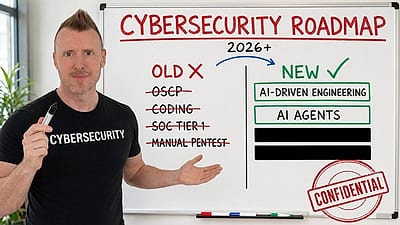
StationX’s AI Master’s teaches you to create and deploy security solutions by directing AI. “No coding background required. You direct the AI; the AI does the building.”
Explore the AI Master’s →Create your free account to open all 2,396 free items





The 80 free items on this page — and every other free lesson, video and guide — open once you have a free StationX account. No card, no trial.